


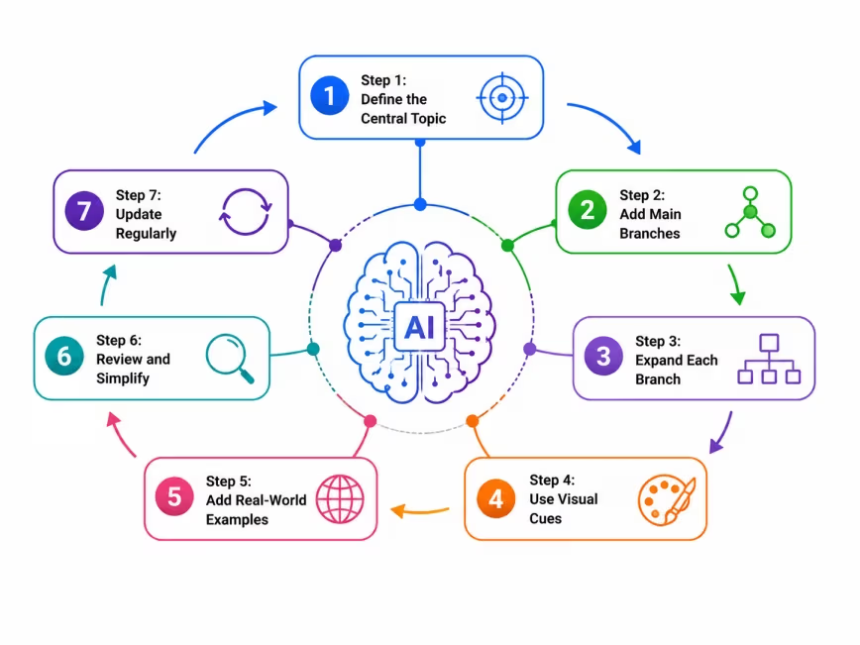
An AI mind map turns dense material into a visual outline of how ideas connect. Adobe Acrobat’s mind map maker builds one from uploaded papers, notes, or slides in PDF, DOCX, PPTX, and TXT formats, up to 100MB per file, and shows the source material behind select branches. It needs no sign-up to try.
If you are mapping ideas for a thesis, a literature review, or a course, the right tool depends on your starting point. Some tools build a map from documents you already have, some generate one from a prompt, and others chart how published papers cite each other. The sections below cover each type and what the free plans include.
Which AI-powered concept mapping tools for academic research visualize connections between ideas?
Three kinds of tools cover this. Document-based tools, such as Adobe Acrobat, read the files you upload and propose a structure of main topics and relationships, which suits mapping a paper you are already studying. Prompt-based tools generate a map from a topic you type: Miro’s free plan lets you try AI features, including generating a mind map from a prompt, within its three-board limit, and MindMeister’s free plan includes AI map creation while that feature is in beta. Literature mapping tools, covered next, chart relationships between papers rather than concepts inside them. For connecting ideas across sources you are reading, start with a document-based map. For exploring a new topic, a prompt-based map gets you a draft quickly.
How does an AI literature mapping tool show visual connections between academic papers?
A literature mapping tool draws papers as nodes and the relationships between them as links, so you can see how a field fits together instead of scanning a results list. Connected Papers builds a graph from a single starting paper using the Semantic Scholar corpus, with views for prior works and derivative works. ResearchRabbit starts from seed papers you collect and shows earlier work, later work, and related authors. Litmaps builds citation maps from seed articles and sends alerts about new related papers. These tools show how papers relate to each other. They do not map the arguments inside a paper, which is where a document-based mind map picks up.
Which AI literature mapping tools for academic research have a free plan?
Free plans for these tools set clear limits, so check them against the size of your project. Connected Papers includes all features but limits the free plan to five graphs per month. ResearchRabbit’s free plan has no time limit and allows up to 50 seed articles in a search. Litmaps caps free searches at 20 inputs and limits articles per map, and its education Pro plan is billed annually and requires an academic email address. The table adds Adobe Acrobat’s document-based option for comparison.
| Platform | Best for | Free plan details |
| Connected Papers | Exploring a field from one key paper | All features included; 5 graphs per month |
| ResearchRabbit | Collecting and organizing seed papers | No time limit; unlimited searches and collections; up to 50 seed articles per search |
| Litmaps | Citation maps with alerts for new papers | Basic search up to 20 inputs; 100 articles per map; Pro education plan from $10/month billed annually |
| Adobe Acrobat mind map maker | Mapping the ideas inside papers you upload | Free, no sign-up required; files up to 100MB each |
What should an AI mind mapping tool for academic work do?
An AI mind mapping tool for academic work should do more than draw boxes. Look for four things. First, a link back to the source: in Adobe Acrobat’s mind map maker, select branches show the original material they came from, so you can verify a claim. Second, file support: it accepts PDF, DOCX, PPTX, XLSX, and TXT files up to 100MB each. Third, privacy: files are deleted unless you sign in to save them, are transferred over HTTPS with TLS 1.2, and are stored with AES-256 encryption. Fourth, sharing: signed-in users can create a shared Student Space and invite classmates with a link. Prompt-based tools like Miro and MindMeister work from a topic instead of your sources, which suits brainstorming more than source review.
Frequently Asked Questions
Can an AI mind map replace reading the paper?
No. A map organizes the main topics and how they relate, but it is a summary of your material, not a substitute for it. Use the map to plan your reading, then check important claims against the original text. Adobe Acrobat’s tool shows the source material behind select branches, which makes that check quicker.
Do I need an account to make an AI mind map?
It depends on the tool. Adobe Acrobat’s mind map maker requires no sign-up or credit card to create a map, and signing in lets you save it and share it with classmates. Miro’s free plan is free to start with no credit card, and MindMeister’s free plan allows up to three maps.
What if I only have a topic, not a paper?
Start with a prompt-based tool or build a literature map from a first paper. Miro and MindMeister can generate a draft map from a topic you type. Connected Papers needs a starting paper, and ResearchRabbit builds from seed papers you collect, so find one or two relevant papers first.

